1. Understand What Google Trends Is
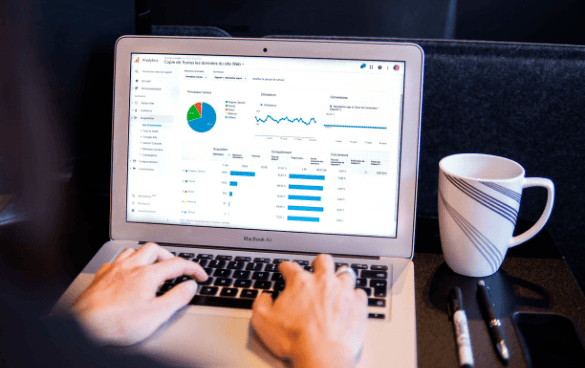
Google Trends shows how frequently a term is searched in Google over time. It allows you to:
- Track search interest by region
- Compare keywords
- Identify seasonal patterns
- Discover rising queries
It’s an essential tool for SEO and marketing teams who want to stay relevant.
2. Discover Trending Topics
Use the "Trending Searches" section to find hot topics in real time:
- Daily trending searches for inspiration
- Real-time search trends by industry or location
- Quickly adapt your content calendar to what’s hot now
Great for creating reactive content and social media posts.
3. Identify Seasonal and Evergreen Content Opportunities
Google Trends reveals when interest spikes around specific topics. This insight helps you:
- Plan seasonal campaigns (e.g., "holiday gift ideas")
- Repurpose top-performing content during peak periods
- Identify evergreen content that performs year-round
4. Compare Keyword Performance Over Time
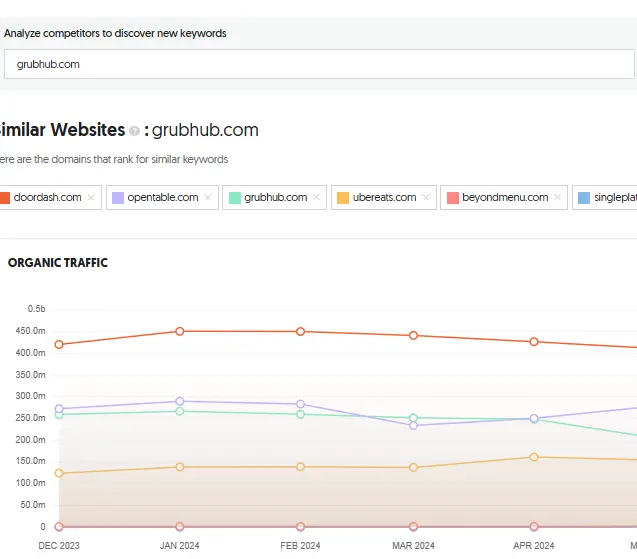
Not sure which keyword to use? Compare multiple search terms to determine:
- Which has the highest ongoing interest
- Which is growing or declining
- How user behavior shifts over time
This helps you refine your content strategy with data-backed decisions.
5. Optimize Your SEO with Regional Insights
Different regions show different levels of interest. With regional data, you can:
- Localize your content for targeted audiences
- Run regional campaigns
- Tailor keywords and language by location
Perfect for businesses targeting multiple geographic markets.
6. Use Related Queries for New Content Ideas
Google Trends lists "related queries" under each search term. These are goldmines for:
- Identifying popular subtopics
- Finding long-tail keywords
- Expanding your content cluster around a core theme
7. Monitor Brand and Competitor Trends
Track your own brand or competitors to see:
- Search interest over time
- Regional awareness
- Associated trending topics
Great for benchmarking your brand presence.
8. Combine with Other Tools for Deeper Research
While Google Trends is powerful on its own, it pairs well with:
- Google Keyword Planner for volume data
- Semrush or Ahrefs for competitive analysis
- AnswerThePublic for content questions
Use them together for a more comprehensive strategy.
Conclusion
Google Trends empowers content creators and marketers to stay ahead of the curve. By leveraging trend data, you can produce timely, relevant content that aligns with what your audience is actively searching for. It's a free, intuitive tool that turns data into actionable content strategies.